
自动化部署 Github Pages
...大约 2 分钟
自动化部署 Github Pages
- 使用的是默认的构建输出目录 (.vuepress/dist)
config.ts里的base设置为/- 使用
pnpm作为包管理器 - 部署后通过
https://<username>.github.io/访问
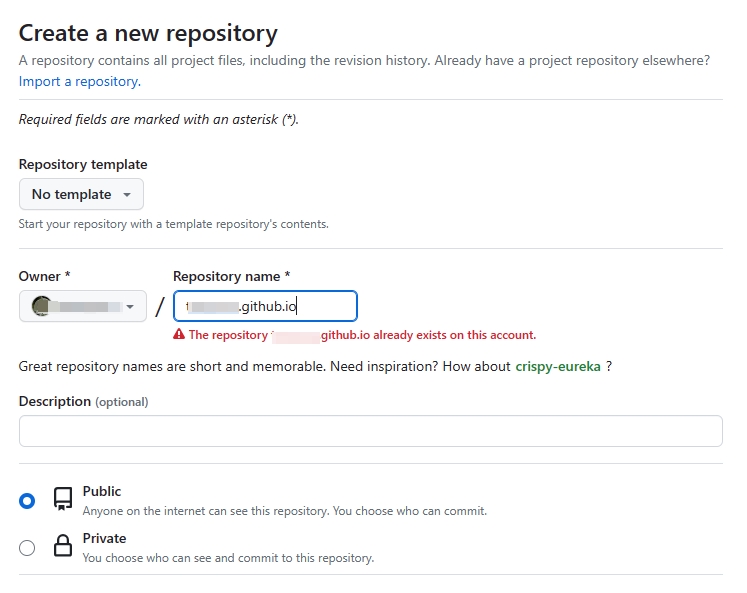
在 Github 创建新 repository
此仓库对应 vuepress 的源码,项目名为 <username>.github.io
仓库必须设置为
Pubilc
创建 ACCESS_TOKEN
- 在
github profile页面上依次点击Settings→Developer Settings→Personal access tokens→Tokens (classic)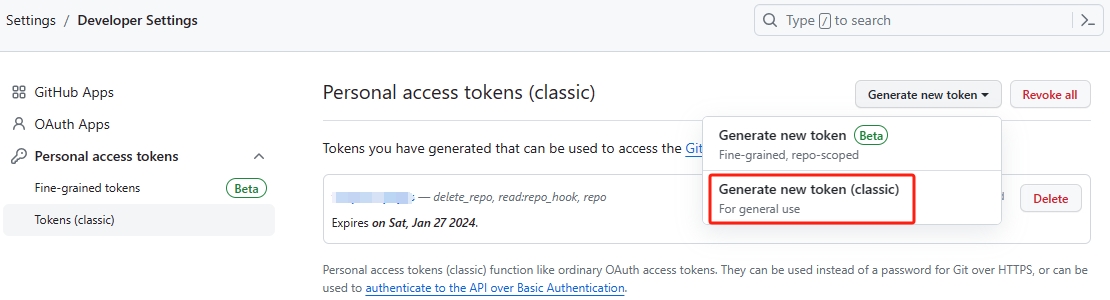
- 继续点击
Generate new token→Generate new token (classic)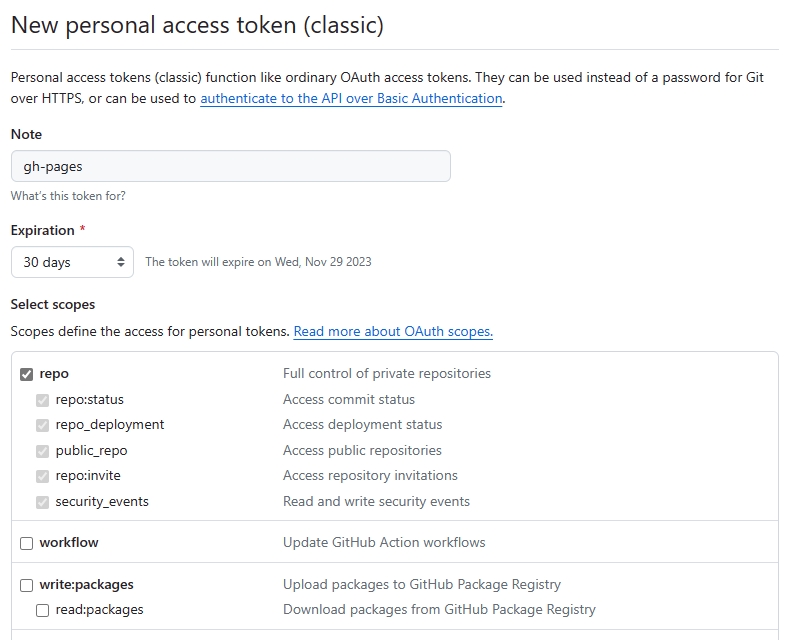
- 点击
Generate token后复制下token备用,页面刷新后得重新生成
配置仓库 Security
- 进入
<username>.github.io仓库的Settings页面 - 点击
Security下的Secrets and variables / Actions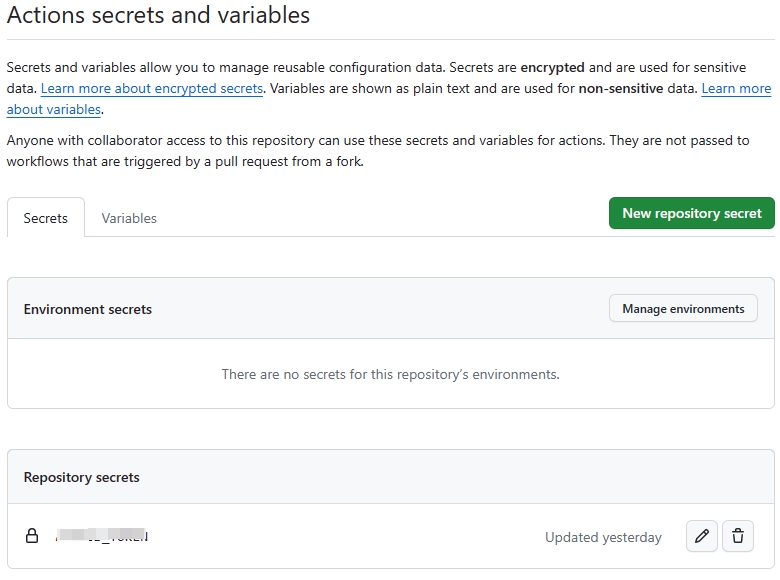
- 点击
New repository secret,Name输入ACCESS_TOKEN,Secret黏贴前面复制好的token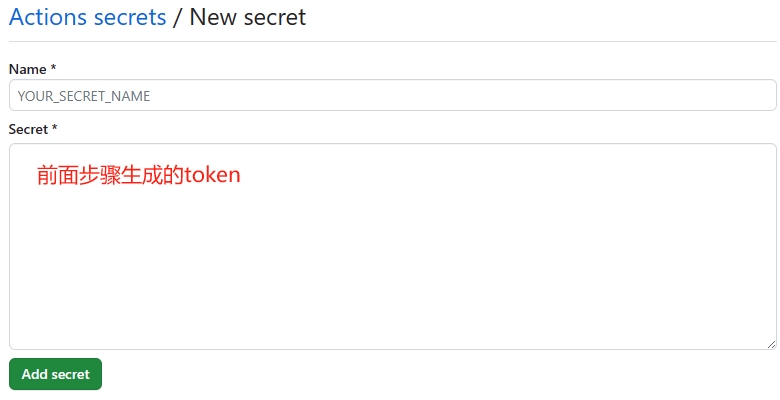
- 点击
Add secret保存
配置 deploy-docs.yml 文件
在源码目录下创建 .github/workflows/deploy-docs.yml 文件来配置工作流
yml文件里的uses字段表示 workflow 的 action 范例文件,一般不需要改动
name: 部署文档

on:
  # 每当 push 到 master 分支时触发部署
  push:
    branches: [master]
  # 手动触发部署
  workflow_dispatch:

permissions:
  contents: write

jobs:
  deploy-gh-pages:
    # 服务器环境:最新版 Ubuntu
    runs-on: ubuntu-latest

    steps:
      # 拉取代码
      - name: Checkout
        uses: actions/checkout@v3
        with:
          # “最近更新时间” 等 git 日志相关信息,需要拉取全部提交记录
          fetch-depth: 0
          # 如果你文档需要 Git 子模块,取消注释下一行
          # submodules: true

      - name: 安装 pnpm
        uses: pnpm/action-setup@v2
        with:
          # 使用 pnpm 安装依赖
          run_install: true
          # 选择要使用的 pnpm 版本
          version: 8

      - name: 设置 Node.js
        uses: actions/setup-node@v3
        with:
          # 选择要使用的 node 版本
          node-version: 18
          # 缓存 pnpm 依赖
          cache: pnpm

      # 运行构建脚本
      - name: 构建文档
        env:
          NODE_OPTIONS: --max_old_space_size=8192
        run: pnpm run docs:build

      - name: 部署文档到 GitHub Pages
        uses: JamesIves/github-pages-deploy-action@v4
        with:
          # 部署到 gh-pages 分支,根据 master 构建后自动生成
          branch: gh-pages
          # 部署目录为 VuePress 的默认输出目录
          folder: src/.vuepress/dist
          # @see https://docs.github.com/cn/actions/reference/authentication-in-a-workflow#about-the-github_token-secret
          # secrets.ACCESS_TOKEN 要与配置仓库 `Security`步骤里的设置的 secret name 一致,比如前面 name 设置为 ci_token ,那这里就要改为 ${{ secrets.ci_token }}
          # 此选项默认为存储库范围的GitHub令牌
          token: ${{ secrets.ACCESS_TOKEN }}
查看 Action 执行情况
- 提交代码后进入
<username>.github.io仓库的Action页面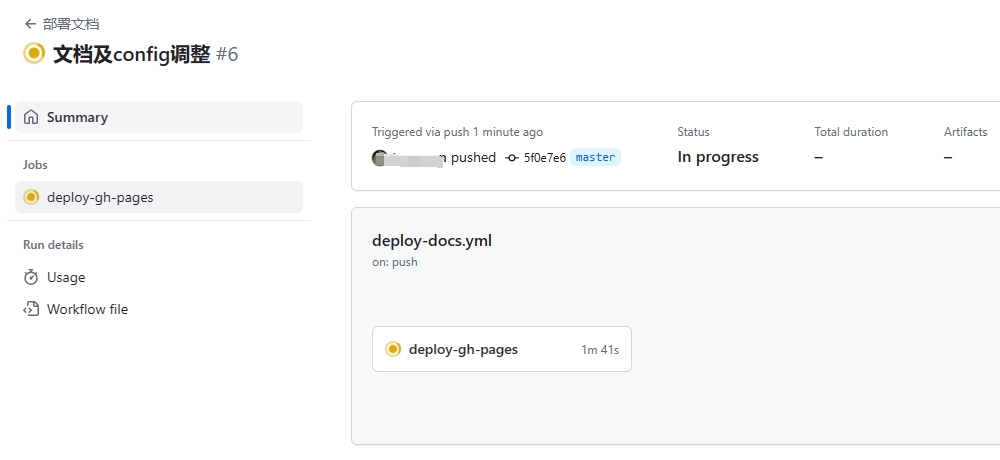
- 点击
Jobs下的deploy-gh-pages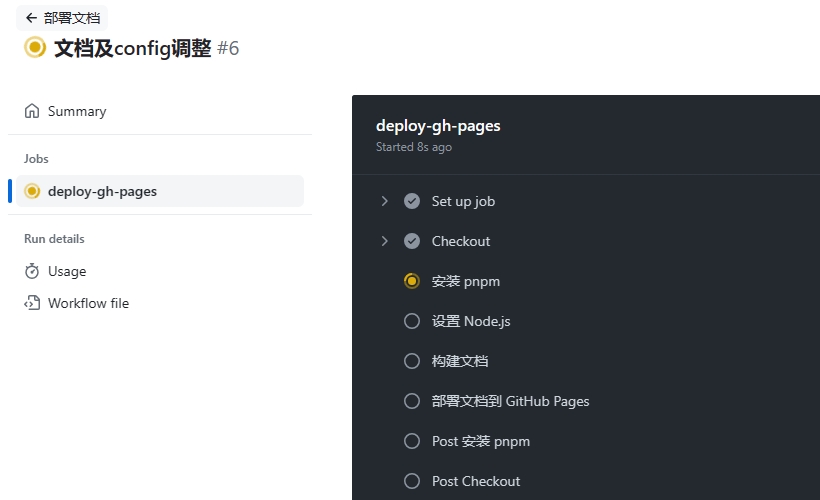

- 浏览器就能正常访问到
https://<username>.github.io/
参考文献
- [1] vuepress-github-pages
- [2] 自动令牌身份验证
Powered by Waline v2.15.8